Hyperliquid App Guide: Official Access, Mobile Use and Safety
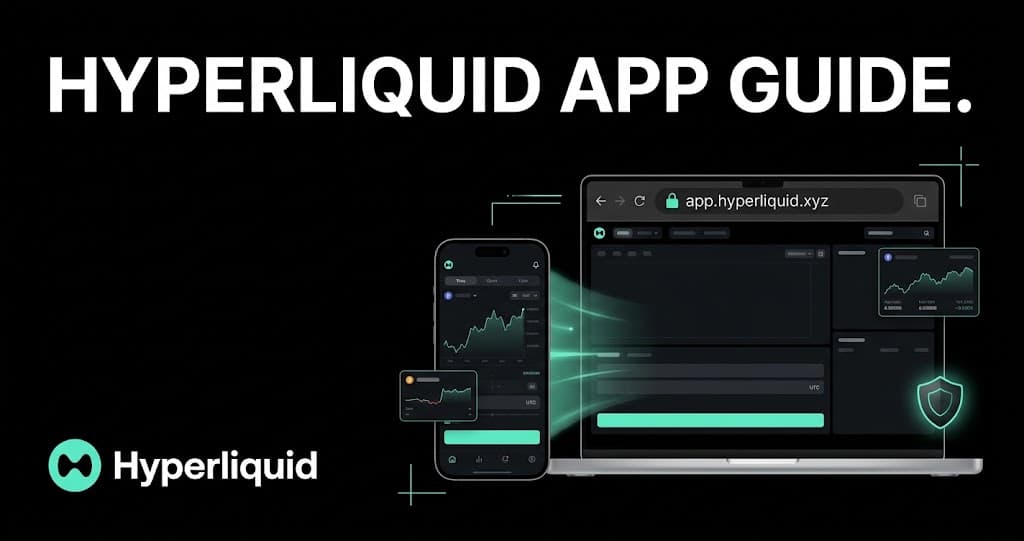
The official first-party Hyperliquid interface is a web app, not an App Store or Google Play download. This guide explains the correct URL, mobile access methods, wallet linking and the checks that help prevent phishing.
Direct answer
What is the official Hyperliquid app?
The official first-party Hyperliquid trading interface is the browser-based web app at app.hyperliquid.xyz/trade. Hyperliquid's support documentation stated on October 19, 2026 that there is no official Hyperliquid app in any app store. On a phone, use the official website, its Link Desktop Wallet QR flow or a separately operated third-party interface that you have verified.
Updated 19 Oct 2026
On this page
- What is the official Hyperliquid app URL?
- Does Hyperliquid have an iOS or Android app?
- How do you use the Hyperliquid app on mobile?
- Can you log in to Hyperliquid with email on mobile?
- How does Link Desktop Wallet work on Hyperliquid?
- Which Hyperliquid login method should you use?
- Is the Hyperliquid app safe to use?
- What should you do if the wallet may be compromised?
- Are third-party Hyperliquid mobile apps legitimate?
- Why is the Hyperliquid app not connecting?
- What should you check before trading on mobile?
- What is the safest way to access the Hyperliquid app?
Searching for a Hyperliquid app produces a confusing mix of the official website, wallet apps, independent trading interfaces and downloads that may impersonate the platform. The safest starting point is the distinction made in Hyperliquid's own documentation: app.hyperliquid.xyz is the first-party web interface, while mobile apps named in the onboarding guide are operated by other teams.
That distinction affects both security and support. A third-party interface can provide legitimate access to Hyperliquid, but its software, login flow and support channel are separate. A fake app can instead be designed to steal a seed phrase, private key or malicious signature. Verify the interface before connecting a wallet or funding an account.
What is the official Hyperliquid app URL?
The official trading URL is https://app.hyperliquid.xyz/trade. The important part is the complete hostname: app.hyperliquid.xyz. Hyperliquid's support guide warns that attackers use lookalike domains, including spellings that substitute similar letters. A familiar logo, polished trading screen or sponsored search result does not prove that the site is genuine. The broader beginner's guide to Hyperliquid explains what the verified interface connects to.
| Access method | First-party? | What to verify |
|---|---|---|
| app.hyperliquid.xyz in a browser | Yes | The complete URL before connecting or signing |
| Link Desktop Wallet QR flow | Yes, within the web app | The QR code was initiated from the verified desktop and mobile web sessions |
| Email login on app.hyperliquid.xyz | Yes, within the web app | The domain and the verification email or code |
| Based or Dexari mobile interface | No, third party | The developer, official download route, permissions and support channel |
| MetaMask or Phantom | No, wallet providers | The wallet's official app and the dapp URL it is opening |
| An app-store listing called Hyperliquid | No official listing as checked | Do not download or connect |
Does Hyperliquid have an iOS or Android app?
Hyperliquid does not currently publish an official native iOS or Android app through an app store. The official interface is a web application that can be opened in a mobile browser. You can bookmark the page or add a browser shortcut to the home screen, but that shortcut remains a link to the website; it is not a separately downloaded official app.
The onboarding documentation also lists third-party interfaces and wallet apps, including Based, Dexari, MetaMask and Phantom. Their presence in the documentation does not turn them into official Hyperliquid apps. Check the provider's own website, publisher identity, permissions and support process before installing or connecting through one.
How do you use the Hyperliquid app on mobile?
Open the official web app safely
Enter the official address
Open app.hyperliquid.xyz/trade directly. Check the full hostname, then save it as a bookmark so future visits do not depend on search ads or copied links.
Choose the intended login method
The official web app supports email access and compatible DeFi wallets. Use the same account or wallet address that holds your existing Hyperliquid account state.
Read every connection or signature prompt
Confirm the requesting domain and action. A legitimate interface should never ask you to paste a seed phrase or private key into a website or support message.
Confirm the account before acting
Check the displayed wallet address, balances and open positions. Stop if they do not match the account you expected to access.
Review the order on the smaller screen
Before submitting, recheck the market, side, size, leverage, order type and any reduce-only or trigger setting. Mobile convenience does not reduce liquidation or execution risk.
Can you log in to Hyperliquid with email on mobile?
Yes. The official onboarding guide says users can connect to app.hyperliquid.xyz with an email address and a six-digit verification code. The flow creates a blockchain address associated with the email login. Protect the email account itself with a strong unique password and multi-factor authentication because access to verification messages becomes part of the account's security chain.
Hyperliquid also documents a process for exporting an email wallet and importing its private key into a wallet extension. Exporting exposes highly sensitive key material. Only use that feature from the verified official app, do it privately and never send the exported key to support or enter it into an unfamiliar website.
How does Link Desktop Wallet work on Hyperliquid?
Link Desktop Wallet lets a phone access Hyperliquid after approval from a wallet already connected on desktop. This can be useful when the wallet extension is easier to operate on a computer than through a mobile browser. Start both sides from the verified app.hyperliquid.xyz domain.
Official QR-linking sequence
Connect the wallet on desktop
Open the official web app on the computer and connect through the wallet extension, such as Rabby or MetaMask.
Open Link Desktop Wallet on the phone
On the mobile web app, select Connect and then Link Desktop Wallet. Allow camera access only after verifying the mobile URL.
Generate the QR code on desktop
Select the PC-and-mobile icon in the navigation bar and review the wallet pop-up before signing. The desktop app then displays a QR code.
Scan from the verified mobile session
Use the phone's linking flow to scan the code. After connecting, verify the address and account state before placing an order.
Which Hyperliquid login method should you use?
| Method | Convenience | Main security responsibility |
|---|---|---|
| Email login | Simple code-based web login | Protect the email account and understand how its wallet is recovered or exported |
| DeFi wallet | Direct access from a compatible wallet | Protect the seed phrase, device, extension and every signature |
| Desktop wallet linked to mobile | Desktop approval with mobile access | Verify both URLs and control the QR-linking session |
| Third-party mobile interface | May offer a native mobile workflow | Assess the additional interface, publisher, permissions and support process |
There is no universally safest option. Email access reduces the initial wallet setup, but the email account and recovery process become important. A DeFi wallet gives direct control, but a stolen seed phrase or malicious signature can compromise the address. Linking desktop and mobile avoids some wallet-compatibility problems, but both devices and sessions must be trusted.
Is the Hyperliquid app safe to use?
The official web app provides first-party access, but no trading interface removes wallet, device, network or market risk. Hyperliquid is non-custodial for wallet users. If a private key is compromised or a harmful action is signed, there may be no bank-style reversal or password reset that restores the funds.
- Use app.hyperliquid.xyz from a saved bookmark and check the full hostname every time.
- Ignore sponsored search results and unexpected links, even when the page copies the correct branding.
- Never provide a seed phrase, private key, wallet password or email code to support or another user.
- Assume unsolicited direct messages are scams. Official Discord support takes place through the ticket channel, not through inbound DMs.
- Keep the browser, operating system and wallet software updated, and remove abandoned extensions.
- Use device locking and avoid leaving an active trading session open on a shared phone or computer.
- Read wallet warnings and action details. Do not sign when the requested action is unclear.
- Consider a hardware wallet for balances whose loss would be material, while confirming mobile compatibility before relying on it.
What should you do if the wallet may be compromised?
Hyperliquid's support documentation says an address showing unauthorized transactions, missing funds or an unknown multisig should be treated as compromised. Stop using it, create a new trusted address, move any remaining assets, review permissions and investigate the device for malware. Do not keep using the old address after changing only a browser password.
Are third-party Hyperliquid mobile apps legitimate?
Some third-party interfaces are legitimate products built to access Hyperliquid. The official onboarding guide currently names Based and Dexari as mobile interfaces and also lists MetaMask and Phantom among access options. They remain independent applications. Their publisher—not Hyperliquid—controls the app, updates, permissions and customer support.
Judge each interface separately. Follow the download route from the provider's verified website, inspect the publisher shown by the app store, read the permissions and confirm whether the product uses wallet signatures, an email wallet or another account model. Do not infer safety merely from the fact that an app connects to Hyperliquid or appears in a search result.
Why is the Hyperliquid app not connecting?
| Problem | Checks to try |
|---|---|
| Wallet connection loops | Update the wallet, hard-refresh the browser, clear the relevant cache, then disconnect and reconnect |
| Wallet does not open | Confirm the extension or mobile wallet is enabled and that the browser is allowed to open it |
| Wrong network behavior | Switch to the network needed for the action, such as Arbitrum for a native USDC deposit |
| Coinbase Wallet on mobile | Official support notes that some mobile users encounter connection issues; try its desktop extension if needed |
| MetaMask on HyperEVM | Update the wallet and check the network; official support notes that Rabby may be more compatible in some cases |
| Email code does not arrive | Check spam filtering and use the documented Privy support route if verification messages were blocked |
| Balances look wrong | Confirm the connected address and network before attempting another deposit, transfer or trade |
What should you check before trading on mobile?
- The full market identifier, especially for builder-deployed HIP-3 markets with similar tickers
- Buy or sell direction and whether the order opens or reduces a position
- Order type, limit or trigger price and time-in-force setting
- Position notional, leverage, margin mode and estimated liquidation level
- Current spread, order-book depth, trading fee and funding rate
- Whether a weak mobile connection could interrupt monitoring after the order is submitted
A phone is useful for checking an account or responding while away from a computer, but the smaller screen makes important details easier to miss. Complex position management, large orders and wallet recovery are better handled in a controlled environment with time to verify every field.
What is the safest way to access the Hyperliquid app?
Start with the verified first-party web address, app.hyperliquid.xyz/trade. Bookmark it, choose an access method you understand and never install an app that claims to be the official Hyperliquid app. For mobile use, the official web interface and its documented QR-linking flow avoid the need to trust a lookalike app-store listing. Once access is verified, use the deposit guide to check the asset and network before funding the account.
Third-party interfaces can still be useful, but treat them as an additional product to evaluate rather than as another copy of the official app. Verify the publisher, permissions and support channel, then confirm the connected address and every action before trading.
Frequently asked questions
What is the official Hyperliquid app website?
The official first-party trading interface is https://app.hyperliquid.xyz/trade. Check that the hostname is exactly app.hyperliquid.xyz before connecting a wallet or entering an email code.
Is there an official Hyperliquid iOS app?
No official Hyperliquid app-store app was available when checked on October 19, 2026. Hyperliquid's support guide warns that apps pretending to be the official app are scams. Use the official web app or verify a third-party interface independently.
Is there an official Hyperliquid Android app?
No official Google Play Hyperliquid app was available when checked on October 19, 2026. The official first-party interface runs in a browser. A home-screen website shortcut is not the same as a native official app.
Can I use Hyperliquid in a mobile browser?
Yes. Open the official app.hyperliquid.xyz website in the mobile browser and connect using an available supported method. Verify the URL and account address before signing or trading.
How do I connect my desktop Hyperliquid wallet to my phone?
Use Link Desktop Wallet in the official mobile web app, generate the QR code through the PC-and-mobile control in the verified desktop web app, approve the wallet prompt and scan the code from the phone.
Can I use email login on the Hyperliquid app?
Yes. The official web app supports email login with a six-digit verification code. Protect the email account and never give the code, exported private key or other credentials to someone claiming to be support.
Are Based and Dexari official Hyperliquid apps?
No. Hyperliquid's onboarding documentation lists them as third-party mobile interfaces. They are independently operated products, so verify their publisher, download route, permissions and support channel separately.
Why will my mobile wallet not connect to Hyperliquid?
Update the wallet and browser, verify the official URL, hard-refresh, disconnect and reconnect, and confirm the network required for the action. Hyperliquid's support guide also documents wallet-specific compatibility issues.
Will Hyperliquid support contact me by direct message?
Treat unsolicited direct messages as scams. Hyperliquid's support guide says Discord support occurs through tickets created in the official server's open-ticket channel, not through inbound DMs.
Sources
- Hyperliquid support guide - Official links and app-store warning↗ external
- Hyperliquid documentation - How to start trading↗ external
- Hyperliquid documentation - Connect mobile via QR code↗ external
- Hyperliquid support - Connected via wallet↗ external
- Hyperliquid support - Connected via email↗ external
- Hyperliquid support - Compromised account guidance↗ external
- Hyperliquid documentation - Export your email wallet↗ external